Basic Conversion in Simple Steps
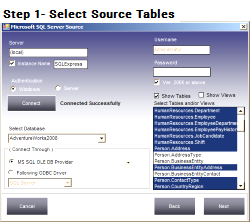
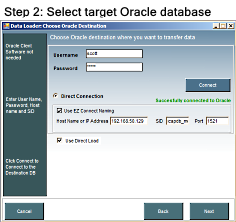
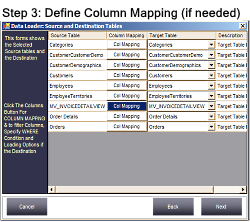
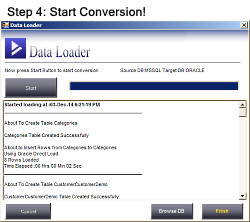
Convert MS SQL Server to Oracle or Oracle to MSSQL in just a few mouse clicks. No need to write a single piece of code — Data Loader automatically converts tables, schemas, constraints, default values, and of course data.
It can also load data into existing tables with full column mapping support. Unlike other tools which just create and load data into new tables, Data Loader can load data into existing tables with different table names and column names.
It comes with its own scheduler to perform conversion jobs automatically at your specified intervals. Just create a session, define the execution date and time interval, and Data Loader automatically executes your session in the background and records the actions in a specified log file.
Data Loader migrates constraints and indexes — including Primary Keys, Unique Keys, Foreign Keys, NOT NULL and Default values.
Supports BULK INSERT and BULK LOAD methods to load data into MS SQL Server and Oracle databases — greatly improving performance so millions of rows load in very little time.
Synchronize data from any source database to any target database. UPSERT updates a matching row or inserts a new one; INSERT only inserts rows that don't already exist.
Edit or delete column mappings of saved sessions.
Create SQL dump files from any source database — useful when you don't have a direct connection to the target Oracle or MS SQL Server database.
Supports all MS-SQL Server editions including Express Edition. Doesn't require Oracle Client software or ODBC drivers — Data Loader comes with Oracle client libraries built in.
Data Loader comes with its own built-in scheduler — no need to run jobs repeatedly. Just start a session, define the schedule date and time, and Data Loader automatically executes your session in the background and records the actions in a specified log file. You can check the log file for the result.
Data Loader uses a repository to store sessions. It provides options to create a new repository if the current one becomes damaged or lost, to take a backup, and to restore from a backup location.
You can manage existing sessions through the Manage Sessions form — view status, edit, run, delete, or view the log file of individual sessions.
Download Free Trial — Convert MSSQL to Oracle